
 UAE
 Saudi Arabia
 Qatar
 Oman
 Bahrain
 Kuwait
 Lebanon
 Ghana
 UK
 Ireland
 Germany
 France
 Netherlands
 Belgium
 Luxembourg
 USA
 Canada
 Australia
 New Zealand
 Singapore
 Malaysia
 Hong Kong
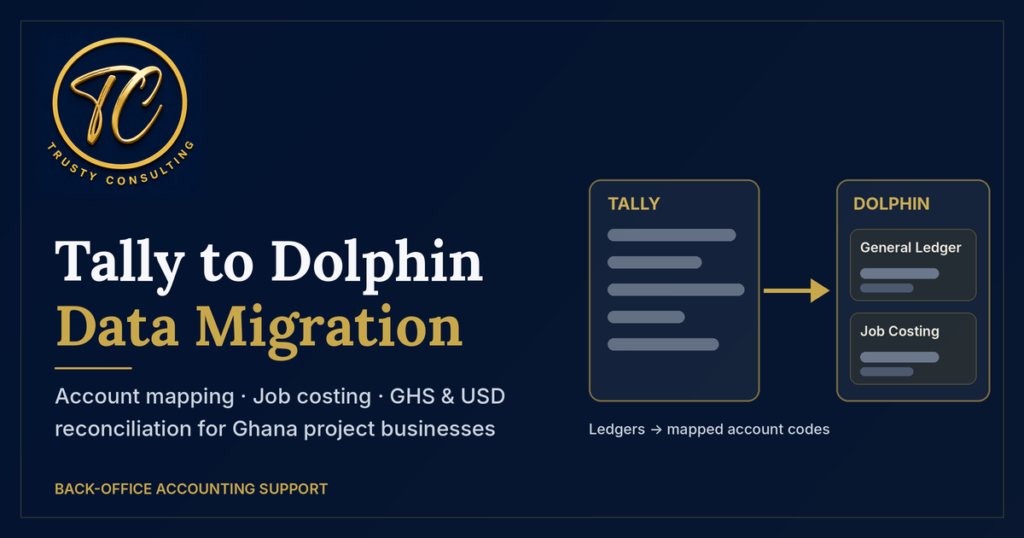
Tally to Dolphin data migration looks like a technical exercise, but for a project-based business it is really a question of trust: can years of financial history be moved into a new system without losing accuracy, project visibility or audit evidence? This guide explains how a Pakistan-based back-office team, working remotely from Sialkot, approaches the migration of historical Tally records into Dolphin ERP for a Ghanaian business, what controls matter, and which mistakes cost the most time.
The client’s identity is confidential, so this article describes the method rather than the company. If you manage finance for a business in Accra, Kumasi or Tema and are planning a similar move, the process below will help you scope the work realistically.
Tally to Dolphin Data Migration at a Glance
| Item | Summary |
|---|---|
| Source system | Tally (voucher-based accounting with ledgers, groups and cost centres) |
| Target system | Dolphin ERP, with general ledger and job costing batches |
| Typical scope | Several months of historical transactions re-entered or mapped into the new structure |
| Currencies | Ghanaian cedi (GHS) and US dollar (USD) |
| Core control | A written account-mapping guide agreed before any entry starts |
| Delivery model | Remote back-office team, trained on the client’s system in the first few days |
| Final test | Trial balance and project cost reports agree to the Tally source |
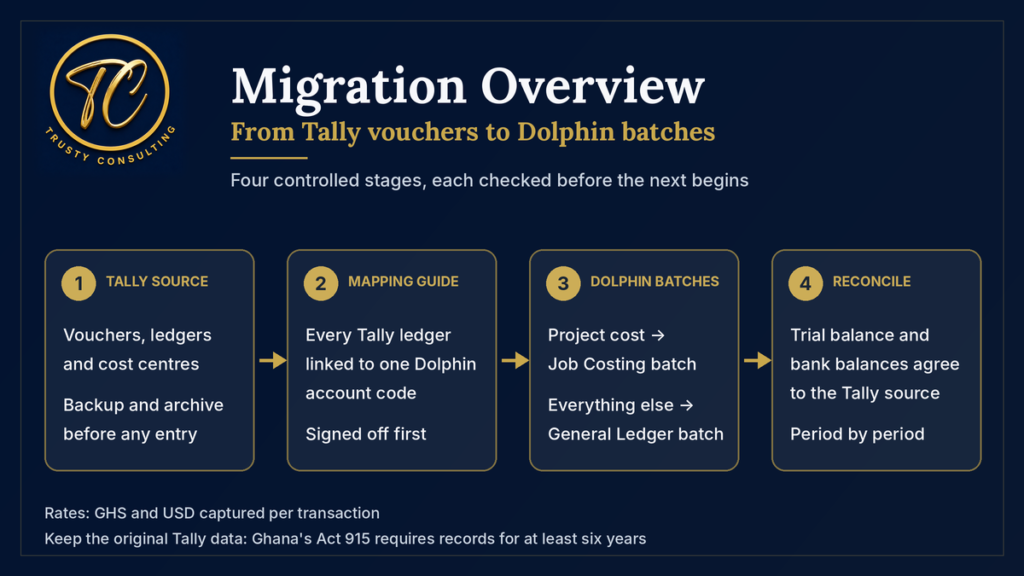
Table of Contents
Why Tally to Dolphin Data Migration Is More Than Exporting a File
Many finance teams assume that a Tally to Dolphin data migration, or any move from Tally to another ERP, is a matter of exporting ledgers and importing them. In practice, the two systems organise information differently. Tally records vouchers against ledgers and groups. Dolphin, in the set-up described here, separates entries into batches: one for the general ledger and another for job costing.
That difference means every historical transaction must answer one question before it is entered: is this a project cost or a general business entry? A single wrong decision can leave a project looking profitable when it is not, or push site expenses into overheads.
How a Remote Back-Office Team Handles the Work
In this engagement, the Ghanaian business needed its historical records brought into Dolphin so that current and past project costs sat in one place. The business could not spare its own accountants for months of data entry, so it engaged Trusty Consulting as an outsourced back-office team.
- A mixed team of senior and junior accountants was assigned.
- The first few days were reserved for training on the client’s Dolphin environment.
- The client supplied a mapping guide linking old Tally ledgers to new Dolphin accounts.
- Professional judgement was applied where the old entry did not fit the new structure, with queries logged for the client.
This is the same model we describe on our back office support in Ghana page: we prepare and enter the work, while the client’s own professionals keep control of approvals and submissions.
Tally vs Dolphin: What Changes for the Accounting Team
| Area | In Tally | In Dolphin (as configured here) |
|---|---|---|
| Entry method | Vouchers (payment, journal, etc.) | Batch-based forms, for example a journal voucher in the general ledger batch |
| Project tracking | Cost centres or ledger naming | Dedicated job costing module with its own batch |
| Account codes | Ledger names under groups | Numeric account codes, which require a mapping table |
| Currency | Rates recorded per voucher where enabled | Local and USD rate fields completed on each entry |
| Payee detail | Party ledgers | Auxiliary or sub-job fields, depending on the form |
Software screens and menus differ between versions, so always confirm field behaviour on your own Dolphin installation before the team starts bulk entry.
Step-by-Step Tally to Dolphin Data Migration Process
- Freeze and archive the Tally data. Take a complete backup and export key reports (trial balance, ledgers, bank books) so the source stays available for verification.
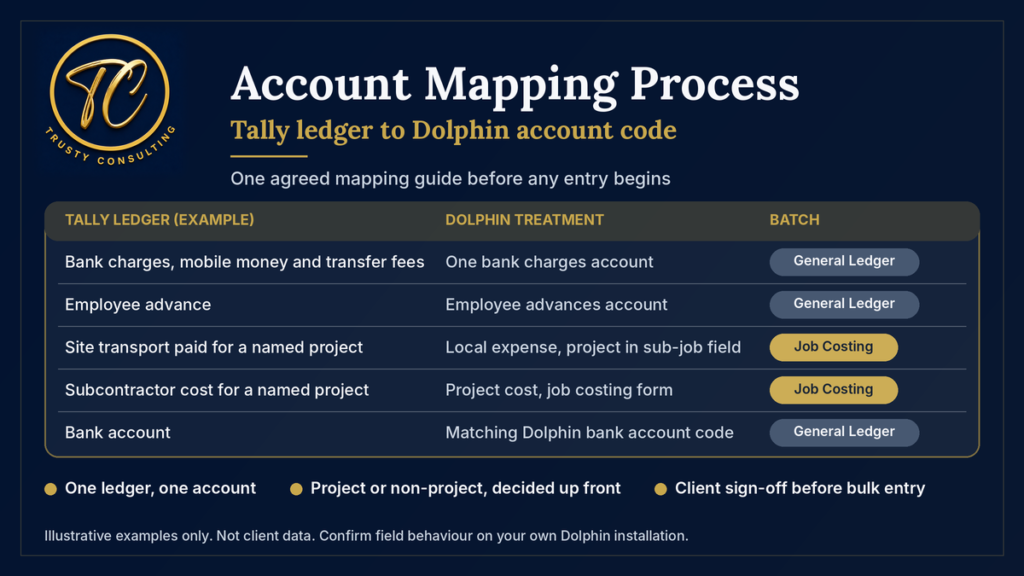
- Agree the account-mapping guide. Every Tally ledger must point to one Dolphin account. Bank charges, mobile money charges and transfer fees, for example, should map to a single expense account.
- Define classification rules. Project-related entries go to job costing; everything else goes to the general ledger.
- Train the team. Spend the first few days on the client’s system, using real entries from the source records.
- Run a pilot batch. Enter a small sample, have the client review it, and correct the rules before volume work begins.
- Enter in controlled batches. Work month by month so each period can be reconciled independently.
- Apply the exchange-rate rule. Use the rate written on each transaction, and a documented fallback where a rate is missing.
- Reconcile every period. Compare Dolphin trial balances and bank balances with the Tally source after each batch.
- Close with a query log. List every judgement call and unresolved item for the client’s sign-off.
Handling Cedi and Dollar Transactions in Tally to Dolphin Data Migration
Ghanaian project businesses often pay suppliers in cedis while billing or funding projects in US dollars. During a Tally to Dolphin data migration, this creates two risks: missing rates and inconsistent rates.
- Use the exchange rate written on the original transaction wherever it exists.
- Where the dollar value is missing, apply the last available rate and flag the entry in the query log.
- Keep the local-currency rate field consistent, so only the dollar rate varies.
- Ask the client to approve the fallback rule in writing before entry begins.
Ghana Compliance Points for Tally to Dolphin Data Migration
Tally to Dolphin data migration is an internal accounting task, but it touches regulated records. Three points deserve attention.
1. Record retention
The Revenue Administration Act, 2016 (Act 915) requires taxable persons to keep records for not less than six years. Keep the original Tally data and reports even after the new system goes live, because Dolphin entries are a re-keyed copy, not the original evidence.
2. VAT reform from 1 January 2026
Under the Value Added Tax Act, 2025 (Act 1151), the Ghana Revenue Authority states that VAT remains at 15%, with NHIL and GETFund levies at 2.5% each, giving an effective rate of 20% from 1 January 2026. The COVID-19 levy was abolished. If your migration period straddles that date, keep each historical transaction on the tax treatment that applied when it occurred and do not restate older entries to the new structure.
3. Data protection
Ledgers contain names of employees, suppliers and project coordinators. Ghana’s Data Protection Act, 2012 (Act 843) is administered by the Data Protection Commission. Use a signed confidentiality agreement, named user access and the minimum data needed for the task.
Illustrative Example (Hypothetical)
The example below is hypothetical and is not a real client transaction. It shows how the classification rule works.
| Old Tally entry | Question to ask | Dolphin treatment |
|---|---|---|
| Cash paid for site transport | Does it belong to a named project? | Job costing batch, local expense form, project in the sub-job field |
| Monthly bank charges | Is it project-specific? | General ledger batch, bank charges account |
| Advance to an employee | Is it a receivable or a cost? | General ledger batch, employee advances account |
7 Costly Mistakes in Tally to Dolphin Data Migration
- Starting entry without a signed-off mapping guide. Rework later is far more expensive than a day of planning.
- Mixing project and non-project costs. This distorts job profitability.
- Ignoring exchange-rate consistency. Different rates for the same day create reconciliation noise.
- Skipping the pilot batch. Systematic errors multiply across thousands of entries.
- Reconciling only at the end. Period-by-period checks find problems while the source is still fresh.
- Discarding the Tally data after go-live. You may need it for tax reviews and audits.
- Leaving judgement calls undocumented. Without a query log, nobody can explain why an entry was treated a certain way.
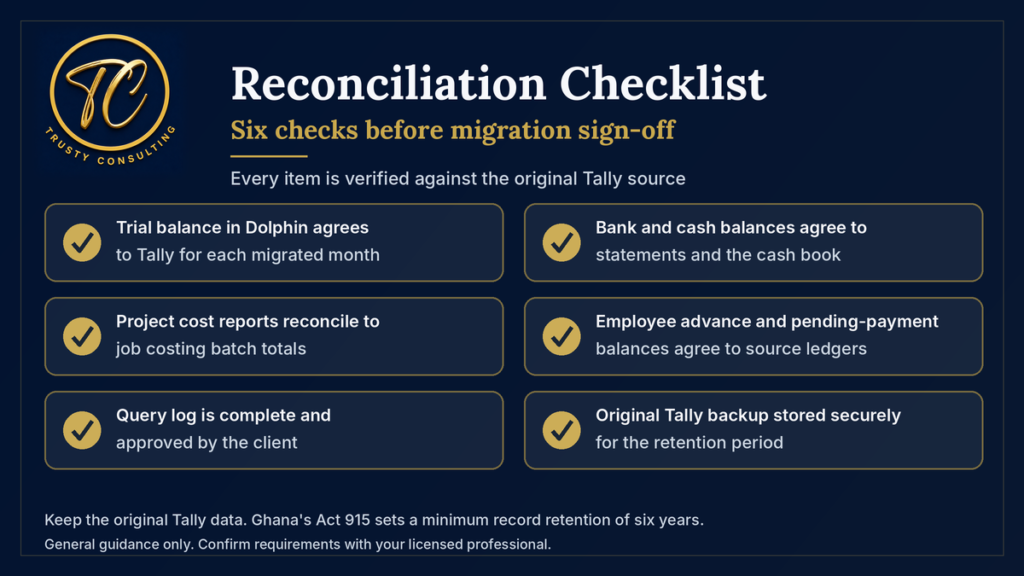
Tally to Dolphin Data Migration Quality Checklist Before Sign-Off
- Trial balance in Dolphin agrees to Tally for each migrated month.
- Bank and cash balances agree to statements and the cash book.
- Project cost reports reconcile to the job costing batch totals.
- Employee advance and pending-payment balances agree to the source ledgers.
- The query log is complete and approved by the client.
- The original Tally backup is stored securely for the retention period.
How Trusty Consulting Can Support Your Tally to Dolphin Data Migration
Trusty Consulting is a Sialkot-based firm that supports international clients through remote accounting teams. Relevant services include:
- Accounting and bookkeeping for historical data entry, reconciliations and monthly close.
- ERP implementation support for chart-of-accounts design and system set-up.
- Internal controls review to test approval, access and reconciliation controls after go-live.
- Back-office support from Pakistan for ongoing capacity during peak periods.
Our international business services team works inside your own systems, under a confidentiality agreement, and your authorised professionals retain approval of the final records.
Frequently Asked Questions About Tally to Dolphin Data Migration
How long does a Tally to Dolphin data migration take?
It depends on transaction volume and mapping quality. A scope of several months of history with a few thousand entries can be planned as a roughly one-month assignment, including the initial training days, but this should be confirmed after a pilot batch.
Can Tally data be imported into Dolphin automatically?
That depends on your Dolphin version and its import tools. Where the structures differ, as with batch-based job costing, manual or semi-manual entry under a mapping guide is often safer. Confirm options with your Dolphin support provider.
What is a mapping guide?
It is a table linking every old Tally ledger to a new Dolphin account, and stating whether the entry goes to the general ledger or job costing.
How are USD and GHS transactions handled?
The rate written on each transaction is used. If a dollar value is missing, a client-approved fallback, such as the last available rate, is applied and logged.
How long must Ghanaian businesses keep accounting records?
The Revenue Administration Act, 2016 (Act 915) sets a minimum of six years. Longer retention is sensible where a dispute, refund or review is open.
Is my financial data safe during Tally to Dolphin data migration?
Use a signed confidentiality agreement, named access to your own system, and limited permissions. Review how Act 843 applies to the personal data in your ledgers.
Can your team sign audit opinions or file returns in Ghana?
No. Our role is preparation and data entry support. Audit opinions and tax submissions remain with professionals licensed in Ghana.
Conclusion
A successful Tally to Dolphin data migration depends less on the software and more on preparation: a clear mapping guide, firm project classification rules, consistent exchange rates, period-wise reconciliation and a retained source archive. With those in place, a remote team can deliver a clean opening position and reliable project reporting.
If you are planning a similar migration, we can review your scope and recommend a realistic approach.